Apple Disables Settings Shortcuts in iOS 5.1 Beta


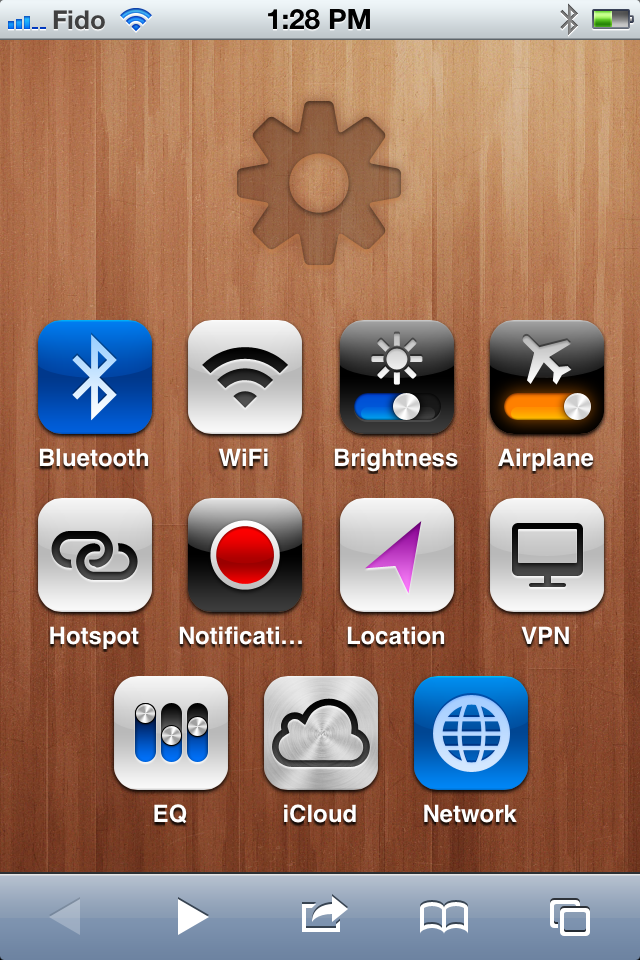
Apple has reportedly disabled the ability to create an icon shortcut to specific setting menus in iOS 5.1 beta.

The shortcuts were revealed earlier this month and quickly became a popular feature with iOS device owners. Designer Jeff Broderick created some beautiful icons with pre-made shortcuts which could be installed by visiting http://brdrck.me/settings on your device.

Now, iSpazio is reporting that the latest developer beta has disabled this functionality. It’s unclear why Apple would remove a perfectly simple and harmless shortcut and instead force users to turn to popular SBSettings utility which requires jailbreak.

Posted in iPad, iPhone, iPod | Tagged , , , | Leave a comment

Unlock iPhone 4, iPhone 3GS On iOS 5.0.1 With Ultrasn0w Fixer


Just to be clear: this is not a new unlock. It’s simply a fix for ultrasnow to work on the already supported basebands.

So, a few days after iOS 5 official release to the public, the iPhone Dev Team updated their ultrasn0w unlock tool to 1.2.4 version to bring support for Apple’s new iOS 5.0 software update. However, on iOS 5.0.1 release, the team didn’t update their tool. That’s why some other hackers could make a “Fix for Ultrasn0w” on iOS 5.0.1.

In this guide I’ll show you how to unlock iPhone 4 or iPhone 3GS running iOS 5.0.1 using ultrasn0w. You’ll need a jailbroken device on iOS 5.0.1, you can follow our guide posted here to jailbreak iPhone 4 and iPhone 3GS on iOS 5.0.1.

Supported Basebands:

  • 01.59.00
  • 04.26.08
  • 05.11.07
  • 05.12.01
  • 05.13.04
  • 06.15.00

How To Unlock iPhone 4, iPhone 3GS On iOS 5.0.1

STEP 1: Open Cydia from your device.

STEP 2: Head to Manage, Sources, Edit, Add then write down the following repository:

http://cydia.iloveidevice.tk

STEP 3: Now get back to the source and you’ll find two ultrasn0w fixers, one for the iPhone 4 and the other to the iPhone 3GS.

STEP 4: Choose the suitable one and install it.

Okay, you’re done now! Just give your device a reboot and you’ll be well to go.

For those wondering about iPhone 4S unlock, there’s a “very promising” iPhone 4S unlock in the works by the iPhone Dev Team.

Let us know if you need further help.

UPDATE: The above repository seems to be not working for some people due to servers overload, you can try this repo instead:

http://cydia.myrepospace.com/smolk/

Posted in iPhone | Tagged , , , , , , | Leave a comment

Test Out Windows Phone on Your Own iPhone or Android Device


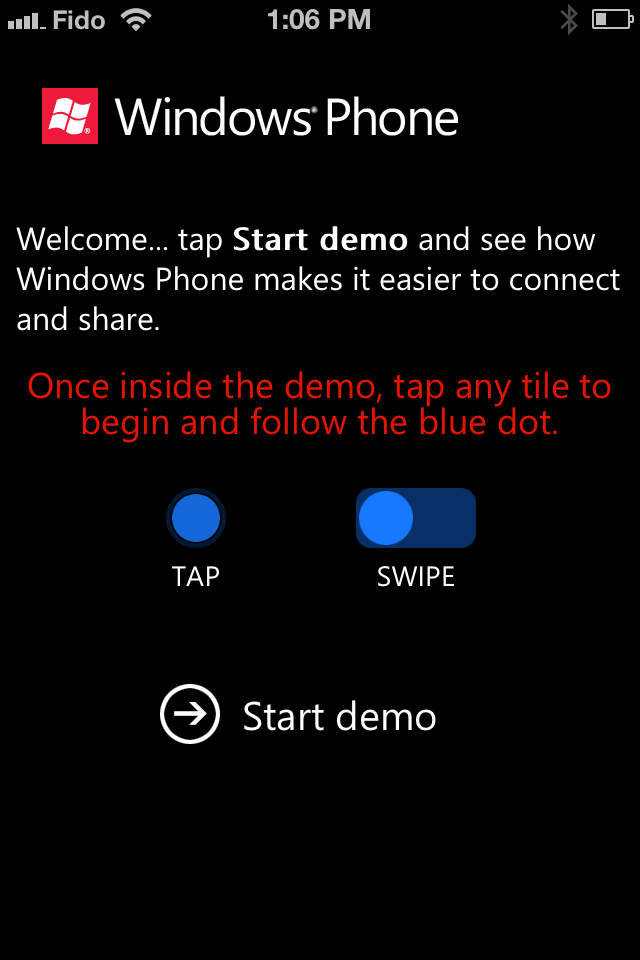
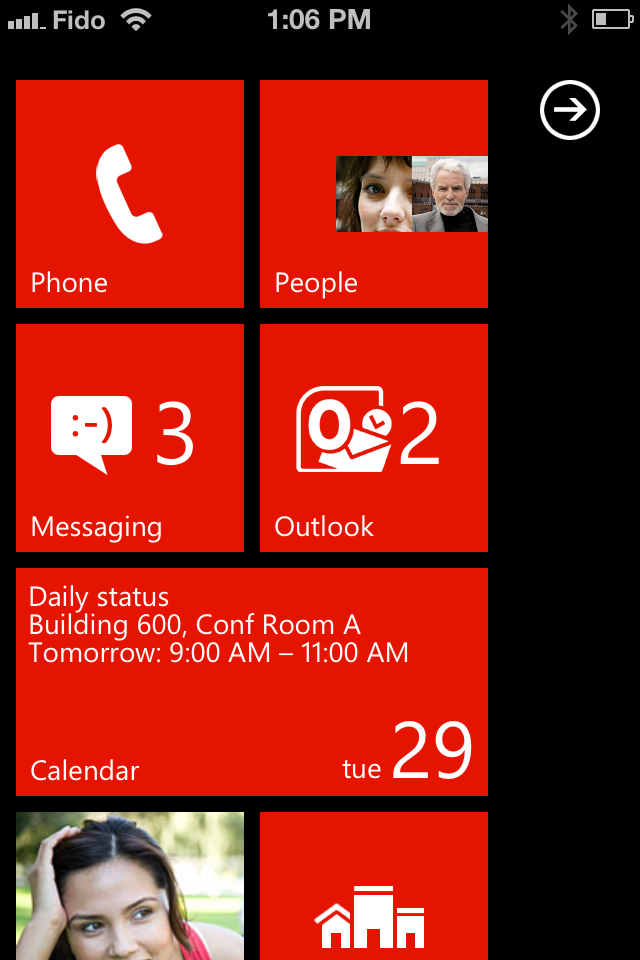
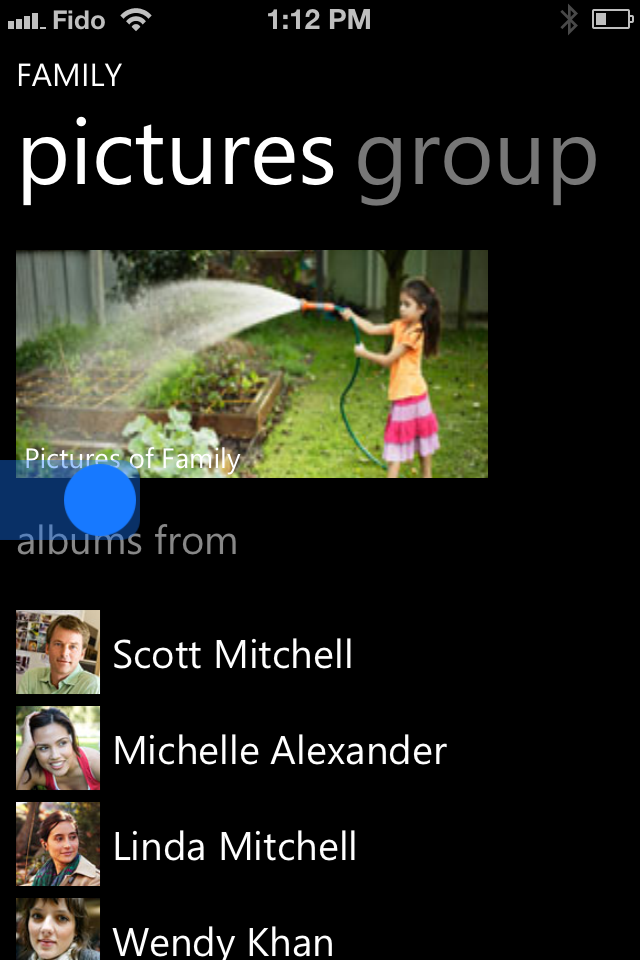
Microsoft has created a way for iOS and Android users to test out Windows Phone from their own device.

All you have to do is navigate to http://aka.ms/wpdemo in your browser and you’ll get an interactive introduction to Windows Phone 7.5.

We took a couple screenshots of how it looks on the iPhone. Check them out below…

Posted in iPhone | Tagged , , , , , | 1 Comment

BREAKING NEWS: iPhone 5 Revealed In iOS 5.1 Code


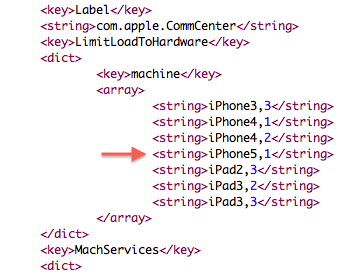
Earlier today, we posted that Apple has seeded iOS 5.1 beta for iDevices. We have found something great for you. In the code of this new release, developers discovered something amazing. According to the them, Apple is going to release an iPhone 5 in the near future because a code name has been found in the iOS 5.1.

According to the image posted above, it is clearly mentioned that Apple is going to release iPhone 5 soon. In this picture, iPhone 5,1 is shown which represents the next generation iPhone, iPhone 5. The first iPhone released back in 2007 and called iPhone 1,1. The next generation iPhone was iPhone 3G which was called iPhone 1,2. While iPhone 3GS and 4 was called iPhone 2,1 and 3,1 respectively.

So in the same order, the last iPhone released was iPhone 4S which was dubbed as iPhone 4,1. And the next iPhone 5 will be iPhone 5,1. However, What will the features of the new iPhone be? Many rumors already show that it will sport a 4.0″ screen. So, it will obviously be a new design.

Stay tuned to find out more as it happens!

Posted in iPhone | Tagged , , , , , | Leave a comment

iOS 5.1 Beta Firmware Seeded To Developers – Here’s What’s New on 5.1!


Apple has just seeded iOS 5.1 Beta along with Xcode 4.3. iOS 5.1 Beta is available in the Apple’s dev center for iPhone 4S, 4, 3GS, iPod touch 4G, 3G, iPad 2 and iPad 1. Let’s see what’s new on iOS 5.1 after the jump.

complete set of Xcode tools, compilers, and frameworks for creating applications for iOS and Mac OS X. These tools include the Xcode IDE and the Instruments analysis tool among many others.

With this software you can develop applications that run on iPhone, iPad, or iPod touch running iOS 5.1. You can also test your applications using the included iOS Simulator, which supports iOS 5.1. There are two Xcode iOS SDK 5.1 images, one for installing on a Macintosh computer running Mac OS X 10.6.7 (Snow Leopard) or later, the other for installing on a Macintosh computer running Mac OS X 10.7 (Lion).

What’s New on iOS 5.1 Beta :

Notes and Known Issues

The following issues relate to using the 5.1 SDK to develop code.

Accounts

When creating an iCloud account, you can use any Apple ID as long as it is a full email address and not a MobileMe account. If you have a MobileMe account, you can move that account to iCloud. You can find more information at: http://me.com/move

APIs

  • The NSNetService class and CFNetService APIs do not include P2P interfaces by default. To browse, register, or resolve services over P2P interfaces, an application needs to use the Bonjour DNSService*() APIs noted below.
  • Setting the interfaceIndex parameter to kDNSServiceInterfaceIndexAny in the following API’s will not include P2P interfaces by default. To include P2P interfaces, you must now set thekDNSServiceFlagsIncludeP2P flag when using kDNSServiceInterfaceIndexAny or set the interfaceIndex to kDNSServiceInterfaceIndexP2P. The affected APIs are:
    • DNSServiceBrowse
    • DNSServiceRegister
    • DNSServiceResolve
    • DNSServiceRegisterRecord
    • DNSServiceQueryRecord

GameKit

App Icons and Profile Photos are not loading in apps using Game Center.

iCloud Storage

  • Provisioning profiles must be enabled for iCloud in the iOS Provisioning Portal. You can enable a provisioning profile for iCloud by navigating to the App ID section of the iOS Provisioning Portal and configuring your App ID for iCloud. After enabling the App ID for iCloud, regenerate your provisioning profiles to enable them for iCloud.
  • The setSortDescriptors: method of NSMetadataQuery is not supported.
  • In iOS 5, files that are protected via Data Protection cannot be used with iCloud Storage APIs.
  • File names are case-insensitive in Mac OS X but case-sensitive in iOS. This can lead to problems when sharing files between the two using iCloud. You should take steps on iOS to avoid creating files whose names differ only by case.

Movie Player

Starting in iOS 5.0, in order to facilitate finer-grained playback control, a movie player is not automatically prepared to play upon creation. Call the prepareToPlay method to prepare the movie player. For more information, see MPMoviePlayerController Class Reference

Music Player

Using shake-to-shuffle causes Music app to freeze and playback to stop.

Newsstand

FIXED: Deleting an issue that was marked as the currently reading issue could cause a crash.

Security

In iOS 5, the signing of certificates with MD5 signatures is not supported. Please ensure that certificates use signature algorithms based on SHA1 or SHA2.

Xcode/Developer Tools

  • A bug in the documentation organizer causes an exception when you type in any field in the content area. To prevent the need to log in to the developer website from Xcode, download documentation sets locally using Xcode’s documentation preference pane and enable the ‘Check for and install updates automatically’ checkbox as a workaround.
  • “uninstall-devtools” script mistakenly removes files and packages even if Xcode is still running. Be sure to quit any running copy of Xcode before starting the “uninstall-devtools” script.
  • The Network Link Conditioner daemon cannot be launched after installing the Networking Link Conditioner without a reboot. You can manually workaround the issue with a restart or by the following command: sudo launchctl load /system/library/launchdaemons/com.apple.networklinkconditioner.plist.]
  • In the iOS 5 development tools, it is possible to extract APIs used by an application and have them checked for use of private APIs. This option is offered when you validate your application for app submission.
Posted in iPad, iPhone, iPod | Tagged , , , | Leave a comment

The iOS Hacker’s Handbook


Charlie Miller (0xcharlie), Stefan Esser (i0n1c), Dion Blazakis, Dino DaiZovi, Vincenzo Iozzo, and Ralf-Phillip Weinmann are releasing the iOS Hacker’s Handbook.

iOS is Apple’s mobile operating system for the iPhone and iPad. With the introduction of iOS5, many security issues have come to light. This book explains and discusses them all. The award-winning author team, experts in Mac and iOS security, examines the vulnerabilities and the internals of iOS to show how attacks can be mitigated. The book explains how the operating system works, its overall security architecture, and the security risks associated with it, as well as exploits, rootkits, and other payloads developed for it.

Covers iOS security architecture, vulnerability hunting, exploit writing, and how iOS jailbreaks work. Explores iOS enterprise and encryption, code signing and memory protection, sandboxing, iPhone fuzzing, exploitation, ROP payloads, and baseband attacks. Also examines kernel debugging and exploitation

MuscleNerd is the Tech Editor for the book’s authors. You can pre-order it for $29.24 which is 35% off list at the link below…

Read More

Posted in iPad, iPhone, iPod | Tagged , , , | Leave a comment

iPhone 4S Unlock Is In The Works By The iPhone Dev Team


MuscleNerd of the iPhone Dev Team has recently posted something interesting on his Twitter timeline about the iPhone 4S unlock status. According to the brain-member of the dev team, iPhone 4S unlock will be much easier than the iPhone 4 unlock which couldn’t be achieved by the team.

MuscleNerd posted the screenshot (shown above) saying it’s a “very promising 4S unlock”. However, this unlock won’t work on the iPhone 4, only iPhone 4S.

There was a trick which can unlock iPhone 4S, iPhone 4, and iPhone 3GS but it only works on AT&T and it survive for minutes.

iPhone 4S users would better wait for an ultrasn0w update from the iPhone Dev Team. Stay tuned.

Posted in iPhone | Tagged , , | Leave a comment

Ac1dSn0w


Today iPhone users are very lucky, because just after we told you that Chronic Dev Team released “Chronic Dev Crash Reporter”, a new tool has just released called Ac1dSn0w and it will jailbreak iPhone 4 running on iOS 5.0 and iOS 5.0.1 and of course it is tethered, let us read more details about this new jailbreak tool after the jump:

Ac1dSn0w supports the following devices:

  • iPhone 4
  • iPhone 3G
  • iPad 1
  • iPod Touch 4G

AcidSn0w is a new jailbreak tool developed by PwnDevTeam which makes jailbreaking much easier, Ac1dSn0w beta version is now available which is currently available only for Mac OS X users. It does a tethered jailbreak of iOS 5 and iOS 5.0.1 and also boots the device. This is only a taste of what the PwnDevTeam can do, currently they’re working behind the scenes on jailbreaking from another computer.

The current version of Ac1dSn0w is in an early development stage. In the future it will also be able to jailbreak remote devices. This means that you just need to install a server program on any OS (Linux, BSD, Windows) and Ac1dSn0w will jailbreak it on a client machine anywhere in the world.

Now you can follow our little guide on how to jailbreak your device using Ac1dSn0w after the jump:

STEP 1Download Ac1dSn0w for Mac OS X.

STEP 2: Once downloaded, launch Ac1dSn0w and you’ll get the options you need as in the following screen:

STEP 3: Now simply connect your iPhone to your Mac using USB cable and don’t forget to turn if off…

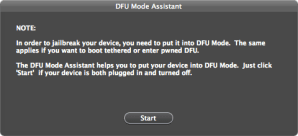
STEP 4: After that Put your device in DFU mode by following the on-screen instructions by clicking “Show Assistant”:

STEP 5: Once it’s in DFU mode, hit the “Jailbreak” button in the tool.

STEP 6: You can also do a tethered boot by clicking on “Tethered Boot” button.

That’s it you are done….
Posted in iPad, iPhone, iPod | Tagged , , , , | 2 Comments

Weapons of Mass Exploitation


Greenpois0n blog has just been updated. This is the post that Posixninja promised. Here is the excerpt:

“Greetings, friends & jailbreakers!
It has now been several months since OPK and I (posixninja) took the stage at JailbreakCon (fka MyGreatFest) in London. Since then, I & other members of the Chronic Dev team have been keeping quietly busy on many fronts, so I thought it was about time to give you all a brief update.

Update on iOS 5 Jailbreak

First & foremost: during my JailbreakCon talk in September, I was excited to announce that the Chronic Dev team had already discovered 5 different exploits for use in our upcoming jailbreak. Unfortunately, that announcement was a bit premature, because in the subsequent weeks, Apple found & patched a (critical) few of those exploits, between the beta versions we used for testing and the final release of iOS 5 on October 12.

Sadly (and trust us, we are much more sad about this than any of you could possibly be), this has prevented us from being able to release a new jailbreak as quickly as we wanted to. As I hinted at earlier this week on Twitter, I was initially disheartened to think that so many of the countless hours we’ve worked on this jailbreak seemingly went right down the drain.

Not to mention, these are by no means the first exploits that have been “lost” by Chronic Dev (or any other iOS hacking teams) in this manner. In fact, these are just a few in a long-running series of exploits that were patched by Apple before we hackers could make use of them in a free jailbreak for you, our loyal fans.

Well, to be frank… this is bullshit!!! And now, Chronic Dev is ready to turn this little information battle into an all-out, no-holds-barred information WAR. So we want to use this experience as an opportunity to explain the method Apple uses to find potential vulnerabilities, as well as to unveil our new master plan, which should not only prevent this from happening to us again in the future, but also allow us to use all of you to find more exploits, so we can ultimately get an untethered jailbreak into your hands as quickly as possible.

How Apple Finds Exploits

One of the primary challenges in working with userland exploits is that, every time any program crashes on your iPhone, a “crash report” is generated and instantly sent back to Apple. As you can imagine, while we’re working out all the kinks in the exploitation of a vulnerability, we may need to crash any particular program thousands & thousands of times.

It’s possible to change your iTunes settings to stop sending this diagnostic information back to Apple, and of course everyone in Chronic Dev has made this change on all our development machines. However, even this is not always 100% effective at preventing Apple from obtaining our data. For instance, if one of us is at a friend’s house and plugs our iPhone up to his or her computer (even just to charge it), it’s very likely that computer is set up to send all our valuable data & crash reports right back to Apple.

As a side note, this is also the primary reason we’re unable to perform or allow any public beta testing of our software before it’s released. Any potential beta tester could be unknowingly sending crash reports back to Apple, which would prematurely alert the company to our exploits & the discovery of their vulnerabilities before we even have the chance to release.

Help Us Help You: Send Us Your Crash Reports

Instead of allowing this vicious cycle to continue, we decided to write a new program to turn Apple’s own beast against its master, per se. All this program requires from you is to attach your iOS device to your computer and click a single button!

At this point, the program copies all the crash reports off your device (which, under normal circumstances, would be sent right back to Apple), and instead sends this data to a secure, private server hosted by your friendly Chronic Dev team. Next, our program proceeds to neuter your copy of iTunes, simply by changing your settings to prevent your computer from sending any further diagnostic information from your device to Apple.

Using this agglomeration of your crash reports and our ninja skills, Chronic Dev will be able to quickly pinpoint vulnerabilities in various programs by using the same techniques Apple currently employs. At the very least, your data will help point us in the direction of which applications are the most vulnerable, so we can focus our time & energy on these with laser-like intensity. And, of course, this will also prevent Apple from accessing all your valuable data, just so they can then turn around and use it against you.

Thank You!

Many thanks in advance for your prompt response & help in this effort, your continued support of GreenPois0n & the Chronic Dev team, and your patience while we continue our never-ending, diligent work on your (free!! coming soon!) untethered jailbreak for iOS 5 and/or iPhone 4S.

One final THANKS! While I have spent many of my own hours on the development, design & programming of this tool, especially the back-end, I also owe a great debt of gratitude to:

  • C-Dev hacker Nikias & his lovely wife Hanene – for the many tedious hours they spent programming the front-end & user-friendly interface;
  • C-Dev member OPK – for his graphic design work & the brilliant logo for this app; and
  • Chronic-Dev, LLC – for graciously hosting the servers where we will store the (fingers crossed) millions of crash reports and other data that you all are going to send us momentarily, via this link…

[CDevReporter_mac.zip]

[CDevReporter_win.zip]

Finally, we will be making a more concerted effort to keep you updated on our progress in the days & weeks to come, so keep checking back here on our blog! And don’t forget to follow the official Twitter feeds of both the Chronic Dev team as well as my personal (p0sixninja) account.”

Posted in iPad, iPhone, iPod | Tagged , , , , | Leave a comment

Untethered iOS5 Jailbreak Today via Greenpois0n?


What is the status of jailbreak iOS 5 / 5.0.1 with Greenpois0n ? A few minutes ago p0sixninja tweeted that he will give some exciting update tonight. What do you think ?

For who don’t know ? P0sixninja is a member of the Chronic Dev team and the brain behind Greenpois0n untethered jailbreak for iOS 4.2.1. We reported you last month that there are many teams are working on iOS 5 untethered jailbreak, one of them is the Chronic Dev-team. P0sixninja has announced for the first time on jailbreaking convention MyGreatFest that he and his team have five bottom exploits that will bring untethered jailbreak for iPad 2 and iPhone 4S on iOS 5.

Within few hours p0sixninja will give us the exciting news. Stay tuned to find out what!

Posted in iPad, iPhone, iPod | Tagged , , , , , , | Leave a comment